

SUMS v5.1.5
Discover our Latest Features
The SU App📱
We’re always looking for ways to help Students’ Unions get the most out of their digital tools — and this latest update brings a series of improvements and enhancements designed to make your SU App even smoother, faster and more flexible.

More Layout Control
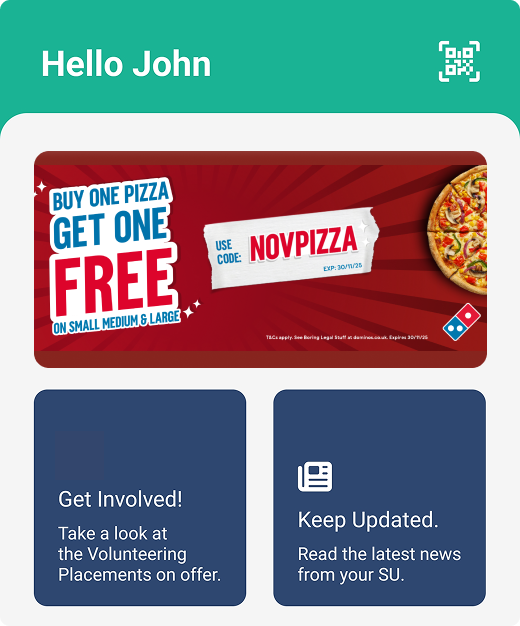
SU App Homepage Tiles
Enhanced Creation and Configuration Options 🎨✨
We’ve added new tools to give your team more control over how content is presented on the SU App.
Whether you're promoting key campaigns, highlighting priority information, or keeping content on-brand, you can now:
- Upload standalone images to support advertising, campaigns and promotional activity.
- Add optional titles and icons to improve clarity, accessibility, and branding.
- Toggle coloured overlays on or off to better align with your Union’s visual identity.
These updates give your staff greater flexibility to tailor the App homepage to your individual needs, keeping communication clear and content looking sharp.
 View Documentation

Better Entry Insights
QR Scanner Improvements
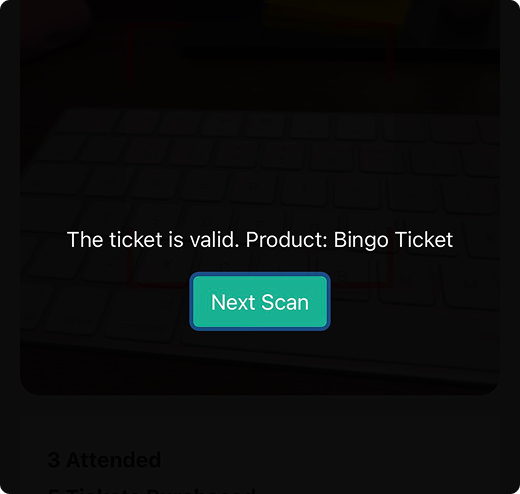
Smarter, More Informed Ticket Entry 🎟️🔄✨
Your QR scanner just got a helpful upgrade to make event and ticketing workflows even smoother:
- Product Name Display: When scanning a ticket, you’ll now see the product name instantly — giving your team quick clarity on what’s being checked.
- Last Scan Timestamp: If a ticket has already been scanned, the scanner will now show the time of the previous scan, helping you manage busy entry points with confidence and avoid duplicate check-ins.

Purchase Confirmation Guidance
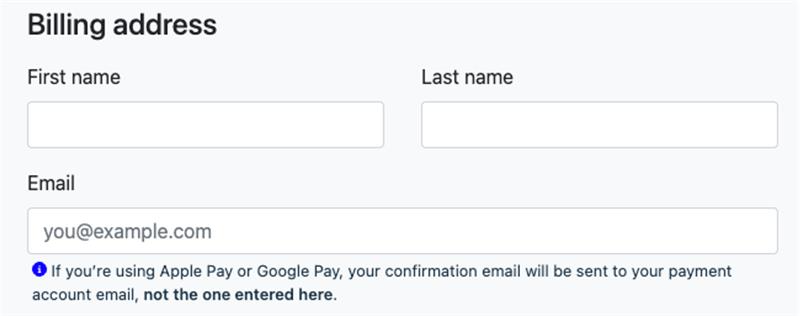
Apple and Google Pay Confirmation Emails
To avoid confusion for users who utilise Apple and Google Pay, additional help text has been added during the purchase process to advise purchasers where email confirmations will be directed, should the email address they have entered differ from that linked to their Apple or Google account.

Behind-the-Scenes Improvements
Performance and Reliability Enhancements
To keep your SU App running at its best, we’ve delivered several behind-the-scenes improvements:
- Fixed bugs for smoother and more reliable navigation.
- Optimised performance and overall app stability.
Your members get a better experience — and your teams spend less time troubleshooting.

Arriving Shortly
Coming Soon to the SU App 🗓️✨
We’re continuing to build on this foundation with new features designed to support your student engagement, operations and digital communications. Here’s a first look at what’s on the way:
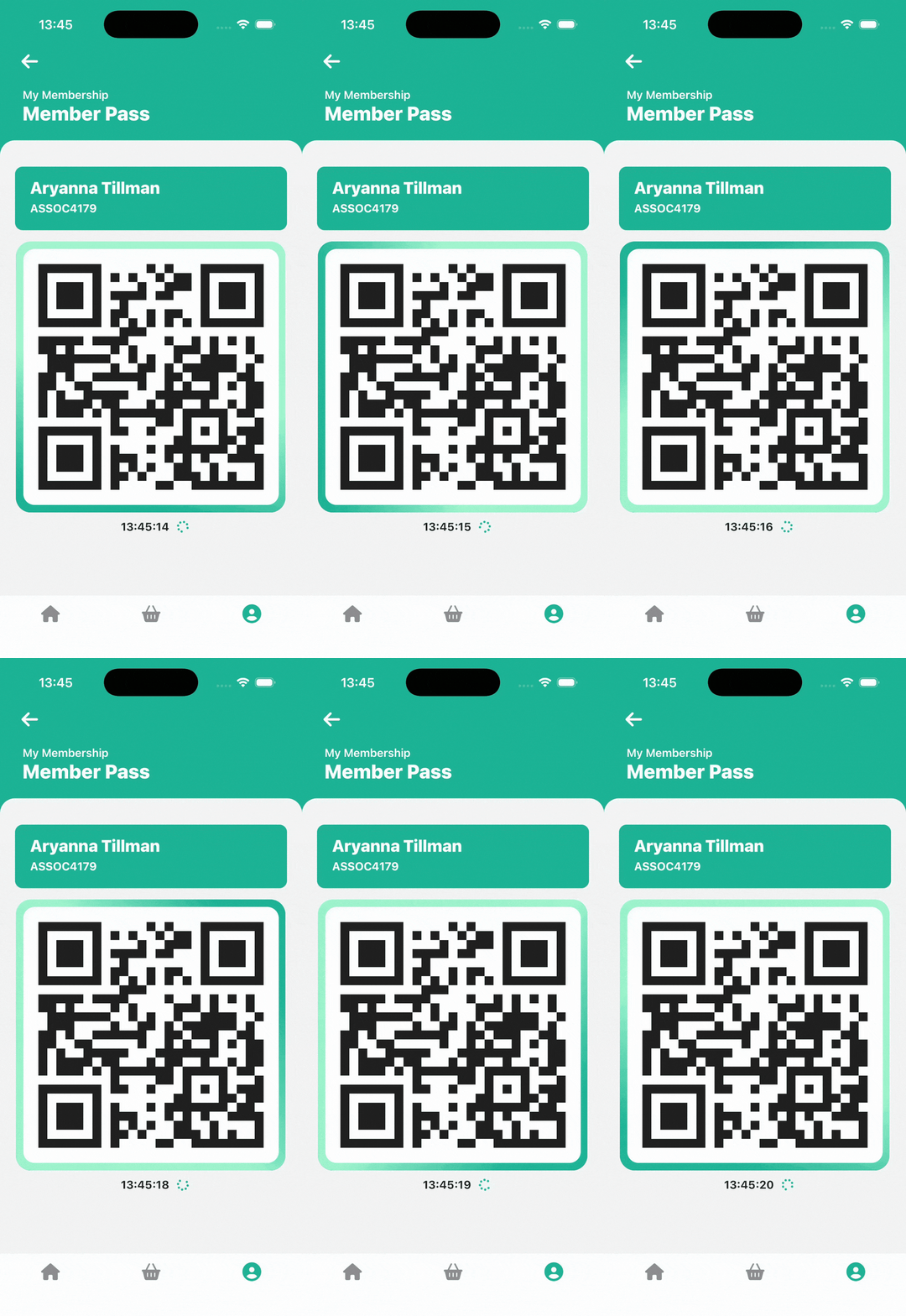
- Animated QR Codes: Member Pass and ticket QR codes have been upgraded with dynamic animation, making them more secure, harder to counterfeit and even easier for your team to validate.
- Product Referrals: Soon you’ll be able to apply product referrals directly within the app, making it easier to promote and share offers.
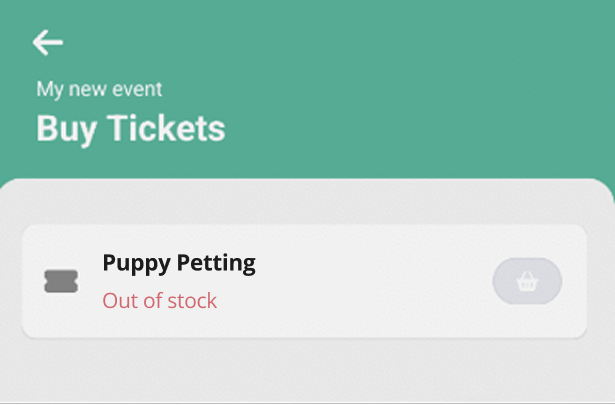
- Sold Out Visibility: Clearer indicators for sold out products within the SU App help manage member expectations and create a smoother shopping experience.

✨What Else Have We Been Working On? ✨
Alongside these new and upcoming SU App features, we’ve also delivered a range of enhancements across the wider platform to support your teams and streamline day-to-day operations.

Variable Pricing
You can now enable variable pricing within EPOS, giving your members the flexibility to collect custom amounts — ideal for fundraising activities, donations, or any scenario where members choose how much they’d like to contribute.
View Documentation
Temporary Committee Access
You can now grant time-limited access to specific committee roles ahead of memberships going on sale, helping new committees get up and running sooner while keeping your access controls secure and consistent.
View Documentation
Event Applications – Additional Columns
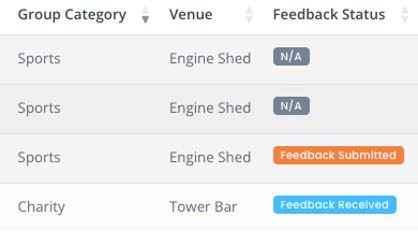
We’ve added new columns and filters to the Event Applications area — including Feedback Status and Venue — giving your teams greater visibility and making it easier to search, review and manage applications quickly and confidently.

Adverts
Various enhancements have been made to the Adverts module to improve the experience for staff and students. Want to allow students to advertise rooms for rent? Or perhaps you would like to encourage students to share and swap academic materials - the Adverts module can be used to give your students autonomy, whilst ensuring you retain oversight of all Adverts shown on your website.
View Documentation
Expenses
Take advantage of additional auto-emails that have been added to the Expense Claim process, including emails confirming when feedback has been given and when a claim has been completed. Get in touch with the SUMS team via ZenDesk if you would like further information on the emails available that can be added to your instance.

Student Dashboard Form Exports
You can now export responses for custom Student Dashboard Forms, making it easier to review submissions, share information with colleagues and support your reporting needs.

GOATing Feedback
New Location and Type fields have been added to GOATing Feedback, allowing your teams to capture more detailed and meaningful information from each submission.
View Documentation
Volunteering Opportunities
Retain visibility of feedback that has been left on pending opportunities, including who left the feedback and when. This is updated should you need to send additional pieces of feedback before approval.
We Value Your Feedback 💬
Your insights play an important role in shaping the future of SUMS, and we’d love to hear what you think about these updates.
If you have any feedback on this release, please share it with us at productdevelopment@sums.su — your reflections help us continue improving the tools and features within SUMS.


Students’ Union Management System
The Engine Shed,
Lincoln Students’ Union,
Brayford Pool,
Lincoln,
LN6 7TS
United Kingdom